Jim
  • Getting Started Guides
    Professional using a laptop and smartphone to study for a certification exam with Gimkit's gamified interface visible, emphasizing active recall and saving money.

    Professional Certification Prep with Gimkit: Pass Faster, Save Money & Actually Retain What You Learn

    A vibrant, photo-realistic image depicting a modern art classroom where students are engaged with tablets, seamlessly integrated with traditional art supplies like paintbrushes, canvases, and clay. The scene subtly blends digital and physical art learning.

    Art Class Gimkit Games: 60+ Creative Assessment Ideas for Visual Arts Teachers 

    Warm, realistic image of a smiling preschool teacher guiding young diverse students with a colorful, visual Gimkit game projected on an interactive whiteboard, emphasizing adapted early childhood learning

    Gimkit for Preschool & Kindergarten: Adaptation Guide

    A cozy home setting with a parent guiding their child through Gimkit on a laptop, emphasizing fun and interactive learning

    A Parent’s Guide to Helping Kids Use Gimkit from Home

    High-quality, realistic image of a middle school classroom during a Gimkit game. Focus on a student's hands on a tablet, showing a dynamic, colorful in-game screen with a virtual cash counter and upgrade buttons clearly visible. In the background, the teacher's dashboard is subtly projected onto a whiteboard, showing live analytics. Modern, bright lighting and a slightly blurred background to emphasize the student's engagement and strategic focus.

    The Main Features of Gimkit: A Teacher’s Deep Dive into Interactive Learning

    How to Change UserName After Joining Gimkit

    How to Change Your Username on Gimkit After Joining a Game

    How to Sign Up for Gimkit: Create Your Free Account (Beginner’s Guide)

    Gimkit login

    Gimkit Login and How Do Its Features Help Students & Teachers Alike?

    Gimkit dashboard

    The Gimkit Dashboard Guide: Mastering Kit Creation, Reports, and Live Games for Educators

  • Teacher Guides & Learning
    Photo-realistic image of a middle school classroom where a smiling teacher is setting up a Gimkit game on an interactive smartboard, while students actively participate on tablets and smartphones, demonstrating high engagement with the educational game platform.

    How to Create a Gimkit Game: Complete Step-by-Step Guide for Teachers

    A strategic farm layout inspired by Gimkit Farmchain showing crops, research upgrades, and energy management elements representing early-, mid-, and end-game strategy.

    How to Change the Background in Gimkit Creative: Terrain, Barrier Tricks & Design Tips

    A vibrant, photo-realistic image depicting a diverse group of elementary and middle school students in a modern classroom, actively engaged with tablets or laptops. They are smiling and interacting, with a large interactive whiteboard in the background displaying a colorful, game-like interface that hints at Gimkit. The scene emphasizes fun, quick learning, and technology integration.

    Microlearning with Gimkit: 5-Minute Daily Reviews

    A vibrant, photo-realistic image depicting a digital tablet showing a lively Gimkit game interface on one side, seamlessly connecting via data lines to a laptop displaying a PowerSchool gradebook with synchronized scores on the other. This visual represents efficient grade syncing and technology integration for teachers, saving time on classroom assessment.

    Gimkit and PowerSchool Integration: A Simple Grade Sync Tutorial for Teachers

    Photo-realistic conceptual image showing a grade score (e.g., 95%) being automatically transferred from a colorful, gamified interface (Gimkit) to a structured, dark-mode gradebook view (Blackboard Learn) via a glowing, digital connection, symbolizing seamless LTI integration and teacher workflow automation.

    Gimkit + Blackboard Learn: Seamless Grade Integration – Stop Manually Typing Scores!

    Photo-realistic image of diverse high school students cheering and laughing while playing a mix of digital and low-prep end-of-year review games in a vibrant classroom. The scene features a student aiming a crumpled paper at a trash can (Trash-ketball) near a laptop showing a competitive digital quiz game like Gimkit.

    End-of-Year Review Games That Students Actually Want to Play

    A vibrant split image showing a classroom of diverse, smiling students actively playing holiday-themed Gimkit games on tablets. The top half of the image transitions from a warm autumn scene with falling leaves and pumpkins to a snowy winter landscape with decorated trees, framing the text "Holiday-Themed Games for Every Season" and the Gimkit logo. The classroom features a teacher interacting with students, a large screen displaying "Gimkit Holiday-Themed Games," and festive string lights, emphasizing fun and learning before school breaks.

    The Gimkit Playbook: Holiday-Themed Games for Every Season

    A vibrant, organized desk with an open economics textbook, a laptop displaying a revision website, a notebook with diagrams, and highlighters, symbolizing comprehensive A-Level Economics study resources.

    Nailing Your A-Level: The Ultimate Economics Resource Guide

    Photo-realistic image of a teacher's hands securely organizing digital data on a tablet next to a physical school file, representing Gimkit student data export and deletion for compliance.

    How to Export and Delete Student Data from Gimkit (2025 Compliance Guide)

  • Fixes & Technical Help
    A classroom with students using tablets for offline games, connected via mobile hotspots, highlighting the adaptability of low-bandwidth learning environments.

    Using Gimkit Offline: Solutions for Low-Bandwidth Classrooms

    Teacher configuring school computer firewall settings and network configurations in a modern classroom to access educational tools like Gimkit

    How to Access Gimkit on Restricted School Devices: A Guide for IT & Educators

    A frustrated teacher sitting at a desk in a modern classroom, looking at a slow-loading Gimkit game on a laptop screen. The digital board displays 'Gimkit Loading...' with a progress bar, while students in the background wait for the game to start. The classroom is tech-friendly, with laptops and tablets on desks

    Step-by-Step Guide to Fixing Gimkit Lag Issues

    A frustrated teacher in a modern classroom looking at a laptop screen with a Gimkit loading error. Students in the background waiting for the game to start

    Gimkit Not Loading? Common Solutions for Technical Issues

    How to Play Gimkit yourself

    How to Play Gimkit yourself? Getting Started & Troubleshooting Bugs to Know

  • Contact us
  • About Us
No Result
View All Result
Gim
  • Getting Started Guides
    Professional using a laptop and smartphone to study for a certification exam with Gimkit's gamified interface visible, emphasizing active recall and saving money.

    Professional Certification Prep with Gimkit: Pass Faster, Save Money & Actually Retain What You Learn

    A vibrant, photo-realistic image depicting a modern art classroom where students are engaged with tablets, seamlessly integrated with traditional art supplies like paintbrushes, canvases, and clay. The scene subtly blends digital and physical art learning.

    Art Class Gimkit Games: 60+ Creative Assessment Ideas for Visual Arts Teachers 

    Warm, realistic image of a smiling preschool teacher guiding young diverse students with a colorful, visual Gimkit game projected on an interactive whiteboard, emphasizing adapted early childhood learning

    Gimkit for Preschool & Kindergarten: Adaptation Guide

    A cozy home setting with a parent guiding their child through Gimkit on a laptop, emphasizing fun and interactive learning

    A Parent’s Guide to Helping Kids Use Gimkit from Home

    High-quality, realistic image of a middle school classroom during a Gimkit game. Focus on a student's hands on a tablet, showing a dynamic, colorful in-game screen with a virtual cash counter and upgrade buttons clearly visible. In the background, the teacher's dashboard is subtly projected onto a whiteboard, showing live analytics. Modern, bright lighting and a slightly blurred background to emphasize the student's engagement and strategic focus.

    The Main Features of Gimkit: A Teacher’s Deep Dive into Interactive Learning

    How to Change UserName After Joining Gimkit

    How to Change Your Username on Gimkit After Joining a Game

    How to Sign Up for Gimkit: Create Your Free Account (Beginner’s Guide)

    Gimkit login

    Gimkit Login and How Do Its Features Help Students & Teachers Alike?

    Gimkit dashboard

    The Gimkit Dashboard Guide: Mastering Kit Creation, Reports, and Live Games for Educators

  • Teacher Guides & Learning
    Photo-realistic image of a middle school classroom where a smiling teacher is setting up a Gimkit game on an interactive smartboard, while students actively participate on tablets and smartphones, demonstrating high engagement with the educational game platform.

    How to Create a Gimkit Game: Complete Step-by-Step Guide for Teachers

    A strategic farm layout inspired by Gimkit Farmchain showing crops, research upgrades, and energy management elements representing early-, mid-, and end-game strategy.

    How to Change the Background in Gimkit Creative: Terrain, Barrier Tricks & Design Tips

    A vibrant, photo-realistic image depicting a diverse group of elementary and middle school students in a modern classroom, actively engaged with tablets or laptops. They are smiling and interacting, with a large interactive whiteboard in the background displaying a colorful, game-like interface that hints at Gimkit. The scene emphasizes fun, quick learning, and technology integration.

    Microlearning with Gimkit: 5-Minute Daily Reviews

    A vibrant, photo-realistic image depicting a digital tablet showing a lively Gimkit game interface on one side, seamlessly connecting via data lines to a laptop displaying a PowerSchool gradebook with synchronized scores on the other. This visual represents efficient grade syncing and technology integration for teachers, saving time on classroom assessment.

    Gimkit and PowerSchool Integration: A Simple Grade Sync Tutorial for Teachers

    Photo-realistic conceptual image showing a grade score (e.g., 95%) being automatically transferred from a colorful, gamified interface (Gimkit) to a structured, dark-mode gradebook view (Blackboard Learn) via a glowing, digital connection, symbolizing seamless LTI integration and teacher workflow automation.

    Gimkit + Blackboard Learn: Seamless Grade Integration – Stop Manually Typing Scores!

    Photo-realistic image of diverse high school students cheering and laughing while playing a mix of digital and low-prep end-of-year review games in a vibrant classroom. The scene features a student aiming a crumpled paper at a trash can (Trash-ketball) near a laptop showing a competitive digital quiz game like Gimkit.

    End-of-Year Review Games That Students Actually Want to Play

    A vibrant split image showing a classroom of diverse, smiling students actively playing holiday-themed Gimkit games on tablets. The top half of the image transitions from a warm autumn scene with falling leaves and pumpkins to a snowy winter landscape with decorated trees, framing the text "Holiday-Themed Games for Every Season" and the Gimkit logo. The classroom features a teacher interacting with students, a large screen displaying "Gimkit Holiday-Themed Games," and festive string lights, emphasizing fun and learning before school breaks.

    The Gimkit Playbook: Holiday-Themed Games for Every Season

    A vibrant, organized desk with an open economics textbook, a laptop displaying a revision website, a notebook with diagrams, and highlighters, symbolizing comprehensive A-Level Economics study resources.

    Nailing Your A-Level: The Ultimate Economics Resource Guide

    Photo-realistic image of a teacher's hands securely organizing digital data on a tablet next to a physical school file, representing Gimkit student data export and deletion for compliance.

    How to Export and Delete Student Data from Gimkit (2025 Compliance Guide)

  • Fixes & Technical Help
    A classroom with students using tablets for offline games, connected via mobile hotspots, highlighting the adaptability of low-bandwidth learning environments.

    Using Gimkit Offline: Solutions for Low-Bandwidth Classrooms

    Teacher configuring school computer firewall settings and network configurations in a modern classroom to access educational tools like Gimkit

    How to Access Gimkit on Restricted School Devices: A Guide for IT & Educators

    A frustrated teacher sitting at a desk in a modern classroom, looking at a slow-loading Gimkit game on a laptop screen. The digital board displays 'Gimkit Loading...' with a progress bar, while students in the background wait for the game to start. The classroom is tech-friendly, with laptops and tablets on desks

    Step-by-Step Guide to Fixing Gimkit Lag Issues

    A frustrated teacher in a modern classroom looking at a laptop screen with a Gimkit loading error. Students in the background waiting for the game to start

    Gimkit Not Loading? Common Solutions for Technical Issues

    How to Play Gimkit yourself

    How to Play Gimkit yourself? Getting Started & Troubleshooting Bugs to Know

  • Contact us
  • About Us
No Result
View All Result
Gim
No Result
View All Result
Home Getting Started Guides

Gimkit Login and How Do Its Features Help Students & Teachers Alike?

Amelia Bree by Amelia Bree
April 24, 2024
in Getting Started Guides
0
Gimkit login
Share on FacebookShare on Twitter

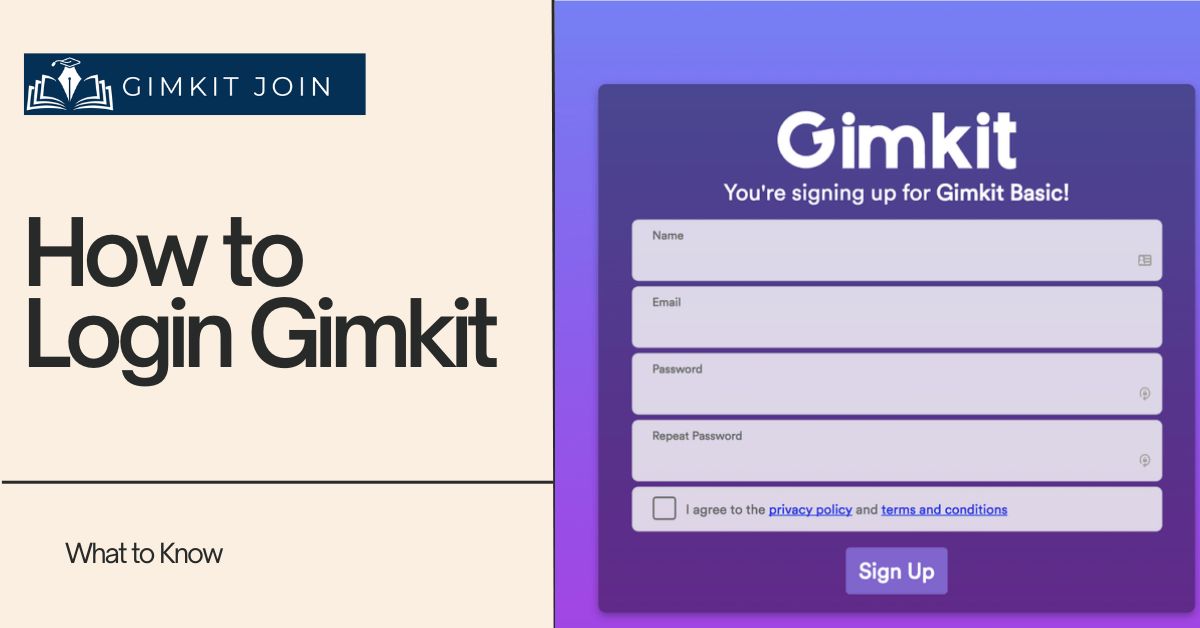
You’re standing at the front of the classroom, game code ready, but your Gimkit login isn’t cooperating. Stop refreshing the page. We know the fastest path to your Gimkit dashboard is all that matters right now. Getting locked out by a forgotten password or confused between the teacher and student login sequence is a common point of friction that shouldn’t slow down your lesson plan.

This is your definitive, one-stop guide to getting signed in—whether you need the simple 6-step teacher login, the correct student join code process, or an instant fix for the dreaded “Invalid Credentials” error. Cut through the confusion and get your game running instantly.

Understanding Your Gimkit Account: How Login Works

The Gimkit login process is designed to be quick and easy, allowing you to spend more time teaching and less time fiddling with tech. If you’re new to the platform and need to set up your account, check out our comprehensive guide on how to sign up for a Gimkit account.

For Teachers: The Central Hub

Teachers register with an email address or a Google Account, which makes rostering incredibly convenient, especially if your school uses Google Classroom. Your logged-in account allows you to:

  • Design and run your own Kits (quizzes).
  • Assign asynchronous homework via Assignments.
  • Monitor student progress and view detailed performance reports.
  • Control live game settings and moderate content.

For Students: Simple Game Access

Students do not need a personal account to join a live game. The primary methods for students to participate are:

  1. Game Code: The teacher shares a unique 6-digit code. Students go to www.gimkit.com/join and enter the code.
  2. Email/LMS Invitation: For Assignments or specific class roster use, students may receive a direct link via their email or your preferred Learning Management System (LMS).

Tutorial: Your 6-Step Gimkit Login Process

This section covers the exact, step-by-step process for teachers to successfully log into their master account on both the web and mobile platforms.

A. Signing In On The Web (Recommended for Teachers)

  1. Visit the Official Website: Navigate to www.gimkit.com in your web browser.
  2. Click ‘Log In’: Locate and click the “Log in” option, usually in the upper right-hand corner.
  3. Enter Credentials: Input your registered email address (or username) and the associated password.
  4. Use Google/Alternative Login: If you signed up using a connected account, click the corresponding button (e.g., “Log in with Google”).
  5. 2FA Verification (If Enabled): If you have enabled two-factor authentication (2FA) for security, you will be prompted to enter the verification code sent to your authenticator app or phone.
  6. Access Account: Click the final “Log in” button to access your Gimkit dashboard.

B. Logging In Via the Mobile App

  1. Download the App: Get the Gimkit app from the Google Play Store (Android) or the App Store (iOS).
  2. Start and Select Log In: Open the application and choose the “Log in” button on the main screen.
  3. Enter Credentials: Input your username or email address and password.
  4. Complete 2FA: Enter your verification code if two-factor authentication is active.
  5. Access: Tap the “Log in” button.

Troubleshooting: How to Solve Common Login Issues Instantly

Don’t let a small technical snag derail your lesson. Here are the quick fixes for the most common Gimkit login problems.

Issue Quick Fix Advice (From an Educator)
Incorrect Username or Email Double-check that you are using the exact email you registered with. Remember, the system is case-sensitive for passwords.
Verification Code Problems (2FA) Ensure you are getting the code from your most recently registered device. If using an authenticator app, verify the time is synced correctly.
Browser or App Cache Issues Try logging in from an incognito or private browser window first. If that works, clear your browser’s cache and cookies to reset the stored data.
Student Cannot Join Game Ensure the student is on www.gimkit.com/join and not the main login page. They only need the game code. They should check their device for Gimkit not loading common solutions.

Resetting Your Gimkit Password: A Quick Guide

If you forget your password, you can reset it instantly:

  1. On the Gimkit login screen, click “Forgot Password.”
  2. Enter the email address connected to your account.
  3. Check your inbox for the Gimkit reset link. Check spam if you don’t see it!
  4. Click the link to create and confirm a new password.

What Is The Price Of Gimkit? (Free vs. Pro)

Gimkit operates on a freemium model. It’s free to use for core features, but the free Basic plan limits you to a rotating selection of game modes and has a maximum of five players for certain modes. If you are sticking with the free option, you can learn more about [suspicious link removed].

To avoid running into the player limit and to access all features, many teachers opt for the paid subscription, Gimkit Pro.

Plan Billing Schedule Price (Accurate as of 2024/2025) Key Features Unlocked
Pro (Annual) Billed yearly $59.88/year (Equivalent to $4.99/month) Unlimited access to ALL game modes, Assignments, image/audio uploads, no ads.
Pro (Monthly) Billed monthly $14.99/month Unlimited access to ALL game modes, Assignments, image/audio uploads, no ads.

Conclusion

The Gimkit login is your simple entry point to a more engaged and dynamic classroom. By following these clear steps and understanding the platform’s features, you’re ready to leverage the power of gamification. Go ahead, log in, and make reviewing content enjoyable for your students!

Ready to dive deeper? Our guide to navigating the Gimkit dashboard provides a step-by-step look at how to maximize this tool for effective learning.

FAQs

How do I reset my Gimkit password if I signed up using Google?

If you used the “Log in with Google” button, Gimkit does not store a unique password for you. You must reset your password directly through your Google Account settings. If you originally signed up with an email and later linked Google, you should use the “Forgot Password” link on the Gimkit site.

My two-factor authentication (2FA) code is being rejected. What is the first step?

2FA codes are time-sensitive. First, check your phone settings to ensure your device’s date and time are set to “Automatic” or synced correctly with your time zone. If the time is off by even 30 seconds, the code generated by your authenticator app will be invalid.

What should I do if my Gimkit Pro subscription features disappear after I log in?

First, ensure you are logged into the exact email address linked to your Pro payment. If you have multiple teaching emails, you may be logged into a Basic account. Check your account settings under “Plan & Billing” to confirm the subscription status.


Previous Post

Discount Kitchen Cabinets: Affordable Solutions for Your Dream Kitchen

Next Post

A World of Color: Choosing the Perfect Colouring Book for Your Child

Amelia Bree

Amelia Bree

Amelia is a middle school teacher (grades 6-8) who has used Gimkit with 200+ students over 2+ years. She created GimkitJoin.net to share practical guidance based on real classroom experience. Not affiliated with Gimkit Inc.

Get In Touch

Get in touch with our Editorial Team,

Contact Us to submit your premium content.

Contact Us

Most Recent

Photo-realistic image of a middle school classroom where a smiling teacher is setting up a Gimkit game on an interactive smartboard, while students actively participate on tablets and smartphones, demonstrating high engagement with the educational game platform.
Teacher Guides & Learning

How to Create a Gimkit Game: Complete Step-by-Step Guide for Teachers

December 12, 2025
Business

Why A Single Farewell Card Can Make All the Difference

December 11, 2025
Photo-realistic quad image showing key steps: 1) Bitcoin as an inflation shield, 2) Growth charts for a Bitcoin portfolio, 3) Secure self-custody setup with hardware wallet, laptop, and phone, and 4) Strategic methods like Dollar-Cost Averaging (DCA), buying the dip, and portfolio rebalancing.
Blog

Digital Gold: How to Build Your Bitcoin Portfolio Online

December 10, 2025
Photo-realistic image of a student in a classroom using a tablet to play Gimkit Fishtopia. Overlay text highlights the 'Accuracy Focused' 95% Goldilocks Zone and the 2x Multiplier strategy, illustrating how to get XP fast in Gimkit.
Game Modes & Strategy

How to Get XP Fast in Gimkit: Which Game Modes Give the Most XP? (2025 Guide)

December 10, 2025
Photorealistic split image showing the Gimkit history timeline: (Left) A young high school founder coding the beta version on a laptop in a cozy room (2016-2017). (Right) The transition to an official company (2018) with a server room on fire labeled 'VIRAL!' and a business team in the background, symbolizing rapid growth and the need for formal structure. The image visually answers 'when did Gimkit become an official company'.
Gimkit

When Did Gimkit Become an Official Company? (The Complete Founder Story & History Timeline)

December 6, 2025
How Technology Transforming 24 Hour Locksmith Perth WA Services
Technology

How Modern Technology is Transforming 24 Hour Locksmith Perth WA Services

December 4, 2025

Independent Gimkit guides from a real teacher. Honest advice, practical solutions, 150+ articles. Not affiliated with Gimkit Inc.

GUIDES

Menu
  • Getting Started
  • Game Modes & Strategy
  • Teacher Guides & Learning

TROUBLESHOOTING

Menu
  • Gimkit Not Loading
  • Lagging Solutions
  • Connectivity Solutions

QUICK LINKS

Menu
  • About Us
  • Contact us
  • Contribute a Post

SOCIAL LINKS

  • admin@gimkitjoin.net
  • @gimkitjoin
  • gimkitjoin
  • @gimkitjoin
© 2025 GimkitJoin.net. All rights reserved. Gimkit is a trademark of Gimkit Inc.
No Result
View All Result
  • Getting Started Guides
  • Teacher Guides & Learning
  • Fixes & Technical Help
  • Contact us
  • About Us