






















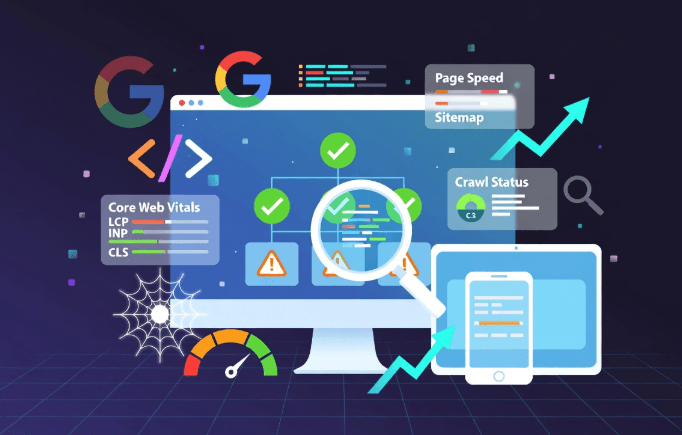
In today’s competitive digital landscape, a technical seo audit serves as the foundation for any successful search strategy. It examines the backend elements of your website that search engines like Google rely on to discover, crawl, index, and rank your pages effectively. Without a solid technical foundation, even the most compelling content can remain invisible to users and algorithms alike. This guide explores every aspect of conducting a thorough technical SEO audit, equipping you with practical steps, tools, and insights tailored for 2026 realities such as enhanced AI-driven search experiences and evolving Core Web Vitals standards.
What Is a Technical SEO Audit?
A technical SEO audit is a systematic evaluation of your website’s infrastructure to identify and resolve barriers that prevent search engines from properly accessing and understanding your content. Unlike on-page or off-page SEO, which focus on content quality and backlinks, technical SEO addresses the “under the hood” mechanics — from server responses and code structure to how pages render on different devices.
In 2026, this process has grown more critical than ever. Search engines now prioritize not only traditional signals but also user-centric metrics like Interaction to Next Paint (INP) and readiness for AI overviews. A well-executed audit ensures your site remains crawlable, indexable, and performant across desktops, mobiles, and emerging voice or visual search interfaces.
Think of it as a health check-up for your digital property. Just as a doctor assesses vital signs before diagnosing issues, an audit reviews crawl logs, indexing status, speed scores, and security protocols. The goal is simple yet powerful: remove friction so search engines can deliver your pages to the right audience at the right time.
Why Conduct a Technical SEO Audit in 2026?
Skipping a technical SEO audit in 2026 is like building a beautiful house on unstable ground — it may look great initially, but it won’t withstand storms. Google’s February 2026 Discover Core Update and the March 2026 Spam Update highlighted the importance of clean technical signals, content depth, and spam-free structures. Sites with unresolved crawl errors or poor Core Web Vitals saw noticeable drops in visibility.
The benefits extend far beyond rankings. A healthy technical foundation improves user experience, reduces bounce rates, and increases conversion opportunities. It also future-proofs your site against algorithm shifts, including greater emphasis on JavaScript rendering and structured data for rich results.
Businesses that invest in regular audits typically enjoy faster indexing of new content, better mobile performance, and stronger resilience against competitors. In an era where AI summaries pull information from multiple sources, technical excellence ensures your pages are not only found but also accurately represented and cited.
Key Components of an Effective Technical SEO Audit
A complete technical SEO audit breaks down into several interconnected pillars. Addressing each one systematically prevents small issues from compounding into major ranking problems.
Crawlability and Indexation
Search engines must first discover and access your pages. Start by reviewing your robots.txt file to confirm it does not unintentionally block important resources like CSS or JavaScript files. Use Google Search Console’s robots.txt tester for verification.
Next, examine your XML sitemap. It should include only canonical, indexable URLs and be submitted directly in Search Console. Orphan pages — those without internal links — often remain undiscovered; a full site crawl reveals these gaps.
Indexing status reports in Search Console highlight errors such as “Submitted URL marked ‘noindex’” or redirect chains. Fixing these ensures your most valuable pages appear in search results.
Site Speed and Core Web Vitals
Page speed directly influences rankings and user satisfaction. In 2026, focus on all three Core Web Vitals: Largest Contentful Paint (LCP) for loading speed, Interaction to Next Paint (INP) for responsiveness, and Cumulative Layout Shift (CLS) for visual stability.
Tools like PageSpeed Insights provide actionable diagnostics. Common fixes include enabling browser caching, compressing images, minifying CSS and JavaScript, and using a content delivery network (CDN). For modern frameworks, optimize JavaScript rendering to reduce render-blocking resources.
Mobile Optimization and Responsiveness
Mobile-first indexing remains the default. Test your site with Google’s Mobile-Friendly Test and ensure responsive design adapts seamlessly across screen sizes. Prioritize touch-friendly navigation and fast-loading images for mobile users.
Security and HTTPS Implementation
HTTPS is non-negotiable. Secure sites build trust and avoid security warnings that harm rankings. Check for mixed content issues and implement proper SSL certificates. Regular security audits also protect against vulnerabilities that could lead to manual actions from search engines.
Structured Data and Schema Markup
Schema markup helps search engines understand context, enabling rich snippets like FAQs, reviews, or product carousels. Validate your JSON-LD implementations with Google’s Structured Data Testing Tool. In 2026, accurate entity-based schema supports AI overviews and knowledge panels more effectively.
Site Architecture and URL Structure
Logical URL hierarchies and clean site architecture improve crawl efficiency and user navigation. Avoid overly deep nesting and use descriptive, keyword-rich URLs without excessive parameters. Implement proper canonical tags to manage duplicate content across similar pages.
For deeper insights into practical fixes, refer to our detailed technical SEO audit checklist.
Essential Tools for Your Technical SEO Audit
Selecting the right tools makes the audit process efficient and comprehensive. Here are must-have options in 2026:
- Google Search Console: Free and essential for indexing status, Core Web Vitals reports, and crawl error detection.
- Screaming Frog SEO Spider: Crawls up to 500 URLs for free; paid version handles larger sites and exports detailed reports on redirects, broken links, and meta data.
- PageSpeed Insights and Lighthouse: Google’s official tools for performance scoring and actionable recommendations.
- Ahrefs or Semrush Site Audit: Provide comprehensive crawls combined with backlink and keyword data.
- GTmetrix or WebPageTest: Advanced speed testing with waterfall charts to pinpoint bottlenecks.
- Schema Markup Validator: Ensures structured data is error-free.
- Log File Analyzers: Reveal how Googlebot actually interacts with your server.
Combine these tools for a layered view — free options for starters and premium ones for enterprise-scale audits.
Step-by-Step Guide to Performing a Technical SEO Audit
Follow this proven sequence to conduct a professional audit:
- Define Scope: Decide which domains, subdomains, or sections to audit.
- Run a Full Crawl: Use Screaming Frog or similar to map every URL.
- Review Search Console Data: Analyze coverage, performance, and security reports.
- Test Core Web Vitals: Score your top-performing pages first.
- Audit Robots.txt and Sitemap: Verify directives and submissions.
- Check Mobile Usability: Test responsiveness and speed on mobile.
- Validate HTTPS and Security: Scan for issues.
- Implement and Test Schema: Add or fix markup where relevant.
- Fix Architecture Issues: Resolve orphans, duplicates, and broken links.
- Document Findings: Create a prioritized action list with timelines.
- Re-crawl and Verify: Confirm fixes after implementation.
- Monitor Ongoing Performance: Set up regular checks.
During the technical seo audit process, prioritize high-impact issues like crawl blocks or slow-loading pages that affect the most traffic. This middle-stage focus ensures quick wins while building toward long-term improvements.
For beginners seeking structured support, explore our beginners guide to technical SEO for higher rankings.
Common Technical SEO Issues and Solutions
Many sites encounter recurring problems. Here are frequent issues with straightforward remedies:
- Broken Links and Redirect Chains: Use crawl tools to identify 404 errors and update or remove them. Implement 301 redirects for permanent moves.
- Duplicate Content: Apply canonical tags or 301 redirects. Consolidate similar pages.
- Slow Page Speed: Compress assets, lazy-load images, and optimize code. Target under 2.5 seconds for LCP.
- Noindex Tags on Important Pages: Remove accidental noindex directives in Search Console or code.
- Missing or Incorrect Sitemap: Generate fresh XML sitemaps and resubmit.
- JavaScript Rendering Problems: Ensure critical content loads without heavy JS dependency; test with Googlebot Smartphone.
- Poor Internal Linking: Add contextual links to orphan pages and improve site navigation.
- Unoptimized Images: Use modern formats like WebP and proper alt text.
- Server Errors (5xx): Monitor uptime and optimize hosting resources.
- Mixed Content Warnings: Upgrade all resources to HTTPS.
Addressing these systematically can yield rapid ranking improvements.
If you need localized practical advice or SEO tips near me, our resources provide tailored starting points.
Advanced Techniques for 2026 Technical SEO Audits
In 2026, advanced audits go beyond basics. Test JavaScript-heavy sites for proper rendering. Prepare for AI search by ensuring clear entity relationships through schema. Analyze log files to understand Googlebot behavior patterns. Consider llms.txt files for AI crawler instructions where applicable.
Monitor for new signals from Google’s ongoing updates, such as improved detection of low-value thin content or emphasis on genuine user experience metrics.
Measuring the Results of Your Technical SEO Audit
Success is measurable. Track improvements in organic traffic via Google Analytics, indexing rates in Search Console, and keyword rankings. Monitor Core Web Vitals scores and conversion rates. Set benchmarks before and after fixes to quantify impact.
Regular audits — quarterly for growing sites — maintain momentum.
Case Studies and Real-World Examples
One e-commerce site reduced crawl errors by 85% after fixing robots.txt and orphan pages, resulting in 40% more indexed product pages and higher sales. Another blog improved INP scores through code optimization, climbing from page 3 to page 1 for competitive terms within two months.
These examples illustrate how targeted technical fixes deliver tangible results.
Preparing for the Future: Technical SEO Trends in 2026 and Beyond
Expect continued focus on AI integration, faster mobile experiences, and privacy-first security. Google’s core updates reinforce the need for clean, fast, and trustworthy sites. Stay ahead by automating routine checks and adapting to new rendering technologies.
Conclusion
A thorough technical SEO audit transforms your website from hidden to highly visible. By following the steps and best practices outlined here, you position your site for sustained success in 2026 and beyond.
For expert SEO content and additional guidance, visit Premium Link Post. Explore more resources at linkz.media.
As detailed in the search engine optimization entry on Wikipedia, mastering technical elements remains essential for long-term visibility.
Start your audit today and watch your rankings improve. Consistent effort on technical foundations pays dividends in traffic, engagement, and business growth.





